Open Today Sales: 9 AM-8 PMOpen Today Service: 7 AM-6 PM
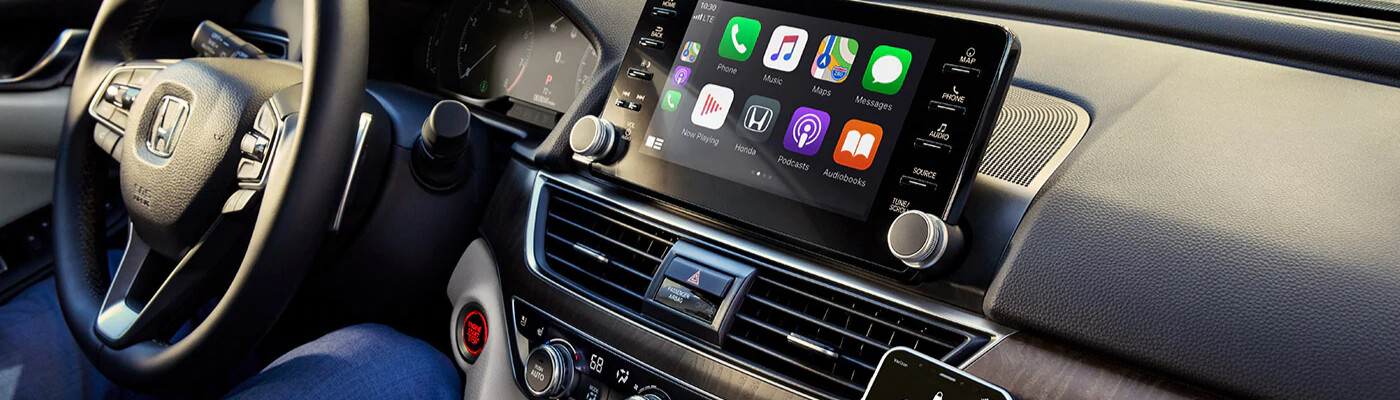
Los Angeles shoppers can’t help but love our new Toyota vehicles for the innovative technology features in the latest models. One standard feature that’s becoming more and more common among the vehicles in our inventory is Apple CarPlay® and Android Auto™ wireless technology. Curious as to how to connect Apple CarPlay® or how to use Android Auto™ without a USB connector in your vehicle? Then check out this comprehensive breakdown from the service experts at Toyota of Whittier to learn how to set up both applications. Then, contact us online to find out which models come outfitted with these exciting features.
Your best bet will be to use an Android 5.0 (Lollipop) or any version after that model. We’ve noticed that Android 6.0 (Marshmallow) is optimal for Bluetooth connectivity. Follow our step-by-step guide below on how to use Android Auto™ without USB cables:
Before getting started, you’ll need to have an iPhone 5 or any later version and be sure that your Toyota vehicle supports Apple CarPlay®. Then, on your iPhone, go to Settings > Siri & Search > Turn Siri on.
Follow the instructions outlined below to connect your Toyota to Apple CarPlay®:
You can take advantage of undisrupted entertainment and unrivaled connectivity during your trips and commutes around El Monte now that you know how to connect Apple CarPlay® or Android Auto™ to your vehicle. Having any issues connecting your smartphone to your car? Schedule a service appointment at Toyota of Whittier today and be sure to check oiut our current service specials to save yourself some money!
For Southern California families and adventure seekers who want one SUV ready for weekday responsibilities and weekends beyond the pavement, the 2027 Toyota Sequoia introduces an exciting new direction. At Toyota of Whittier, we are looking forward to helping local drivers explore the 2027 Sequoia updates, especially the newly available Trailhunter package that brings factory-built…
Keeping your Toyota dependable for the long haul starts with more than routine maintenance. The parts installed during service matter just as much. At Toyota of Whittier, we help Southern California drivers protect the performance, comfort, and confidence they expect from their vehicles by recommending Toyota genuine parts designed for their specific model. Key Takeaways…
Summer in Southern California calls for a vehicle that can accommodate more of what matters, from beach gear and road-trip luggage to family and friends. At Toyota of Whittier, we recommend the Toyota Grand Highlander for drivers who want a spacious, comfortable three-row SUV that is ready for everyday errands, weekend escapes, and longer adventures…